Output Settings
Step-by-step guides
On aiscatcher.org: Send AIS to your chart plotter and Share with the community map, with screenshots, in the control panel, in the configuration file and on the command line.
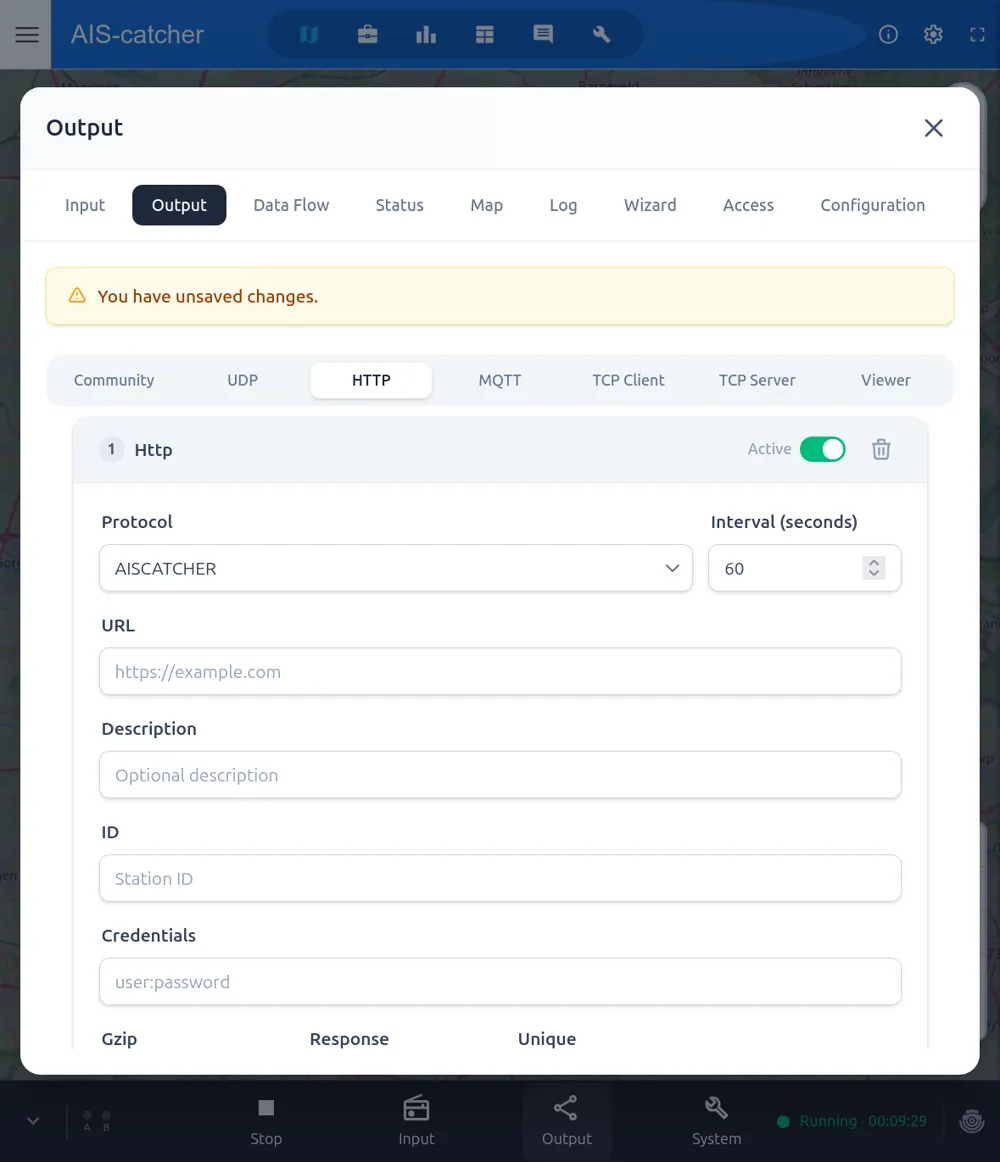
The Output menu defines where your data goes. Add or edit outputs without touching a configuration file — each output is defined by a few fields, for example an HTTP feed with its protocol, URL and posting interval.
Community Feed
Share your data with the aiscatcher.org community. Create a sharing key by registering your station, enter it under Output → Community and make sure sharing is enabled — you can then view detailed statistics and coverage for your station. Sharing can also be anonymous (no key). See Community Feed.
Network Outputs
Feed your data onwards to other applications and aggregators:
- UDP — the workhorse for feeding services like MarineTraffic and VesselFinder, or other applications on your network.
- HTTP — post messages in JSON format to a URL at a set interval.
- MQTT — publish messages to an MQTT broker.
- TCP — serve or push raw NMEA over TCP.
The full set of options for each output type is documented in the Output Options reference.
Web Viewer
The dashboard already includes a map for monitoring your own station. In addition, you can add one or more web viewers for external consumption: a full-featured, customizable map with plots, statistics and range views that you can share on your local network or publicly. See Web Viewer for all options, and aiscatcher.org/dashboards for examples of stations sharing their viewer.
Save and restart
After changing anything, press Save, then restart the receiver for the changes to take effect.