Send Ships to Your Chart Plotter
AIS-catcher can pass every message it receives on to OpenCPN, a chart plotter or a navigation app on your network, as NMEA over UDP. The ships then appear on that program's chart.
You need: AIS-catcher receiving ships, and the address of the computer or plotter that should get them. Port 10110 is the usual port for AIS.
On the same computer?
If the chart plotter runs on the same computer as AIS-catcher, use the address 127.0.0.1.
Add a UDP output
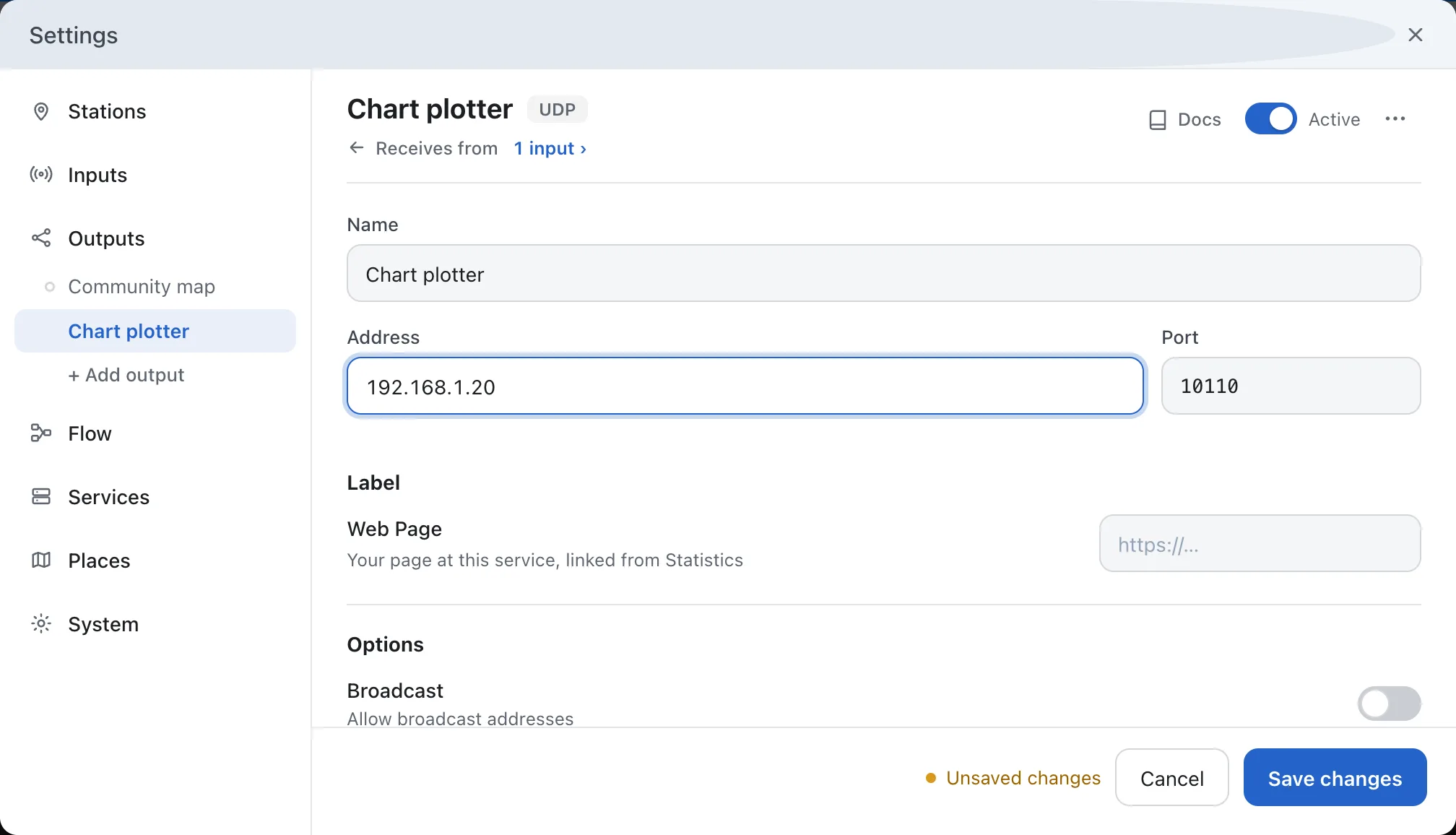
- In the dashboard, open Settings, choose Outputs and press + Add output. Pick UDP.
- Give the output a Name, such as Chart plotter. Enter the Address and Port of the program that receives it.
- Press Save changes. The output starts sending at once.
Add a udp entry:
{
  "config": "aiscatcher",
  "version": 1,
  "udp": [
    { "host": "192.168.1.20", "port": 10110, "description": "Chart plotter" }
  ]
}
| Key | What it does |
|---|---|
host, port |
Where the receiving program listens. |
description |
The output's name in the statistics. |
Then restart AIS-catcher with the file:
AIS-catcher -C config.json
Add -u with the address and the port to the command you already use:
AIS-catcher -u 192.168.1.20 10110
To give the output a name in the statistics, add description "Chart plotter" after the port.
From the command line to a configuration file
Add -J to print your command line as a configuration file instead of running it: AIS-catcher -u 192.168.1.20 10110 -J.
Set up the chart plotter
Tell the receiving program to listen for NMEA over UDP on the same port. In OpenCPN: Options → Connections → Add Connection, choose Network, protocol UDP, port 10110, and data protocol NMEA 0183.
Check it works
The ships appear on the plotter's chart within a minute. Names can take a few minutes longer: ships send them less often than their position.
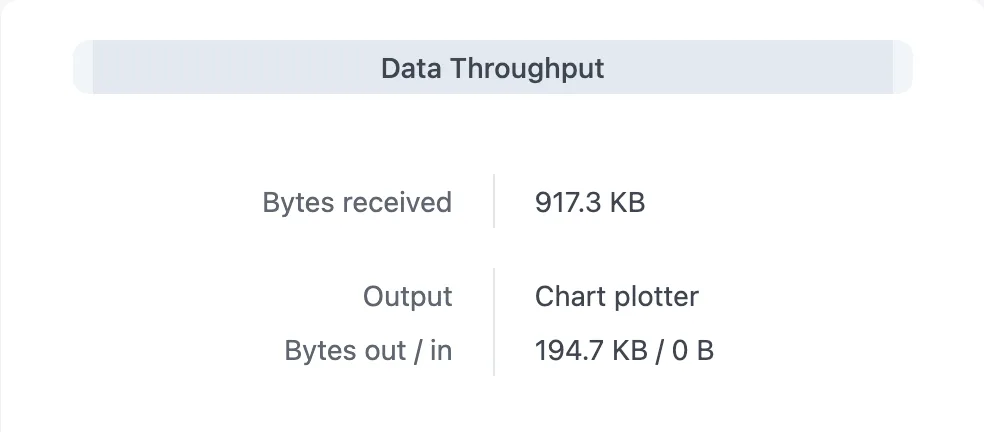
In the dashboard, open Statistics. Under Data Throughput, the output's Bytes out keeps growing.
With the web viewer on, open Statistics. Under Data Throughput, the output's Bytes out keeps growing.
With the web viewer on, open Statistics. Under Data Throughput, the output's Bytes out keeps growing.
No ships on the plotter?
- Bytes out grows: AIS-catcher is sending. Check the port in the plotter and the firewall on that computer. UDP gets no reply, so AIS-catcher cannot tell whether anything is listening.
- Dropped grows instead: AIS-catcher cannot send to that address. Check the address, and that both machines are on the same network.
More
- Several programs: add an output for each one.
- Every device on the network: enter the network's broadcast address, for example
192.168.1.255, and switch on Broadcast under Options. - Programs that connect in: some programs want to connect to AIS-catcher themselves. Add a TCP Server output for those instead.
- Several programs: add an entry to the
udplist for each one. - Every device on the network: use the network's broadcast address and add
"broadcast": trueto theudpentry. - Programs that connect in: some programs want to connect to AIS-catcher themselves. Use a TCP server output for those.
- Several programs: add a
-ufor each one. - Every device on the network: use the network's broadcast address and switch broadcast on:
-u 192.168.1.255 10110 broadcast on. - Programs that connect in: some programs want to connect to AIS-catcher themselves. Use a TCP server output for those.
Every UDP setting is in the UDP reference.