Share with the Community Map
AIS-catcher can add the ships you receive to the live map at aiscatcher.org. Without a key a station shares anonymously. A free station key gives it a name, coverage statistics and its own page.
You need: AIS-catcher receiving ships.
Switch sharing on
A new station shares from the start, anonymously.
- In the dashboard, open Settings, choose Outputs and then Community map.
- Check that Share with the Community Map is on. Without a key the station is anonymous, and the page says so.
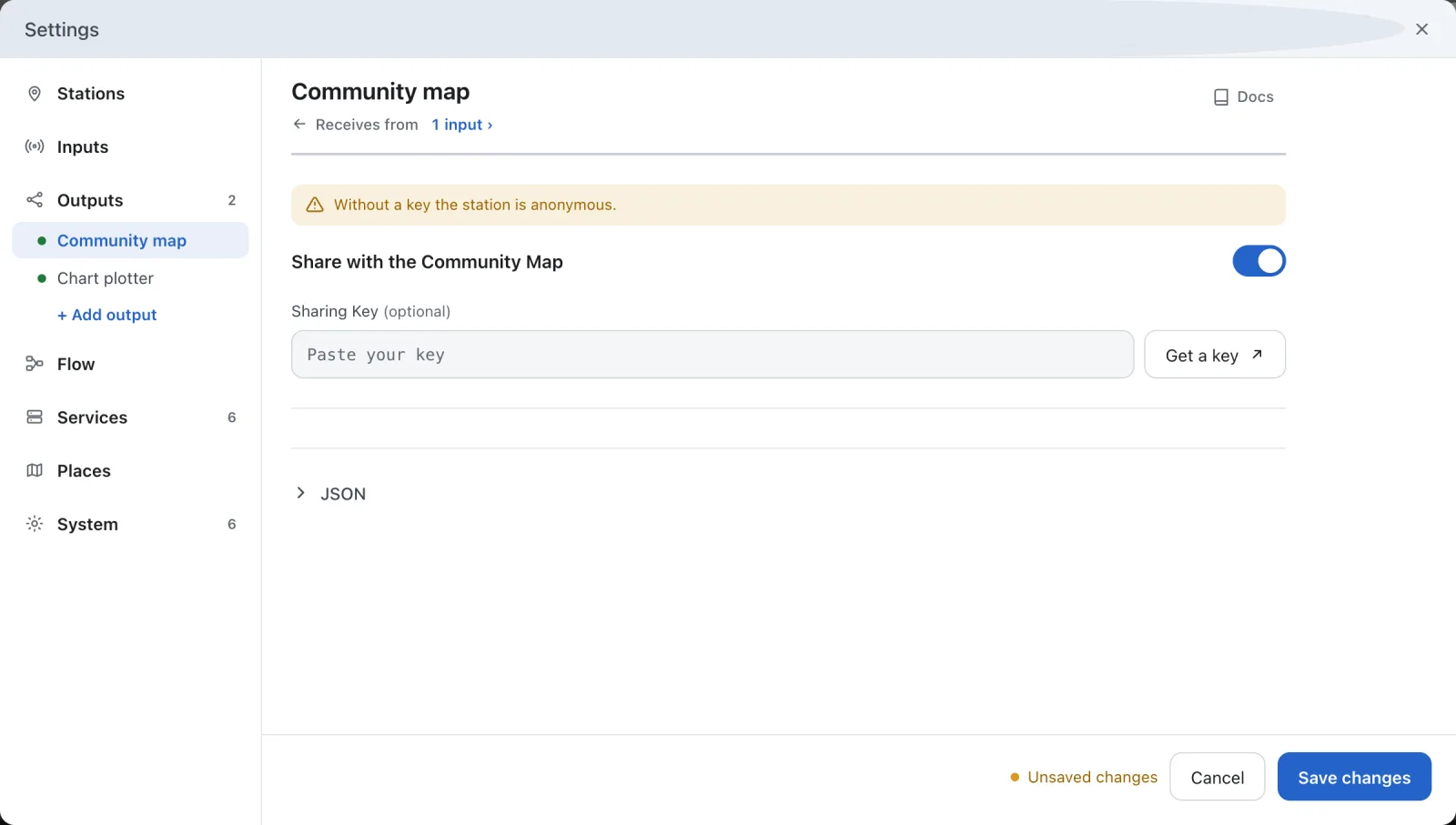
Without a key, the community map takes radio inputs only. A serial receiver or a network input is shared once the station has a key.
Sharing is off until you switch it on. Add "sharing": true at the top level of the file:
{
  "config": "aiscatcher",
  "version": 1,
  "sharing": true
}
The /etc/AIS-catcher/config.json that the installer writes for the service has it already. Without a key the station is anonymous. Every input is shared, with or without a key.
Sharing is off until you switch it on. Add -X to the command you already use:
AIS-catcher -X
Without a key the station is anonymous. Every input is shared, with or without a key.
From the command line to a configuration file
Add -J to print your command line as a configuration file instead of running it: AIS-catcher -X -J.
Get a station key
This step is optional.
Press Get a key: it opens aiscatcher.org, where you register the station and get its key. Paste the key in Sharing Key.
Register the station on aiscatcher.org to get its key. Add the key as sharing_key:
{
  "config": "aiscatcher",
  "version": 1,
  "sharing": true,
  "sharing_key": "xxxxxxxx-xxxx-xxxx-xxxx-xxxxxxxxxxxx"
}
Register the station on aiscatcher.org to get its key. Put the key after -X:
AIS-catcher -X xxxxxxxx-xxxx-xxxx-xxxx-xxxxxxxxxxxx
Save
Press Save changes. Once a key is in, the button next to it reads Edit station details and opens your station on aiscatcher.org.
Save the file and restart AIS-catcher with it:
AIS-catcher -C config.json
Stop AIS-catcher and start it again with the new command line.
Check it works
- Within a few minutes your ships show on the live map.
- With a key, your station has its own page under Stations.
The community map icon in the dashboard's control bar shows whether the station shares.
To stop sharing, switch Share with the Community Map off and save. Nothing then leaves the station.
At start, AIS-catcher logs Community feed sharing: enabled. With the web viewer on, open Statistics. Under System, Feeding Hub reads Yes, or Yes (anonymous) without a key.
To stop sharing, set "sharing": false, remove sharing_key and restart AIS-catcher. A sharing_key left in the file keeps sharing on. Nothing then leaves the station.
At start, AIS-catcher logs Community feed sharing: enabled. With the web viewer on, open Statistics. Under System, Feeding Hub reads Yes, or Yes (anonymous) without a key.
To stop sharing, start AIS-catcher without -X. Nothing then leaves the station.
Every community feed setting is in the Community Feed reference.