Vessels in Home Assistant
AIS-catcher can publish your station and the vessels you follow to Home Assistant over MQTT. With discovery on, Home Assistant adds them as entities by itself.
You need: Home Assistant with its MQTT integration set up, and the address of the MQTT broker it uses, with the user and password if it asks for them.
Connect to the broker
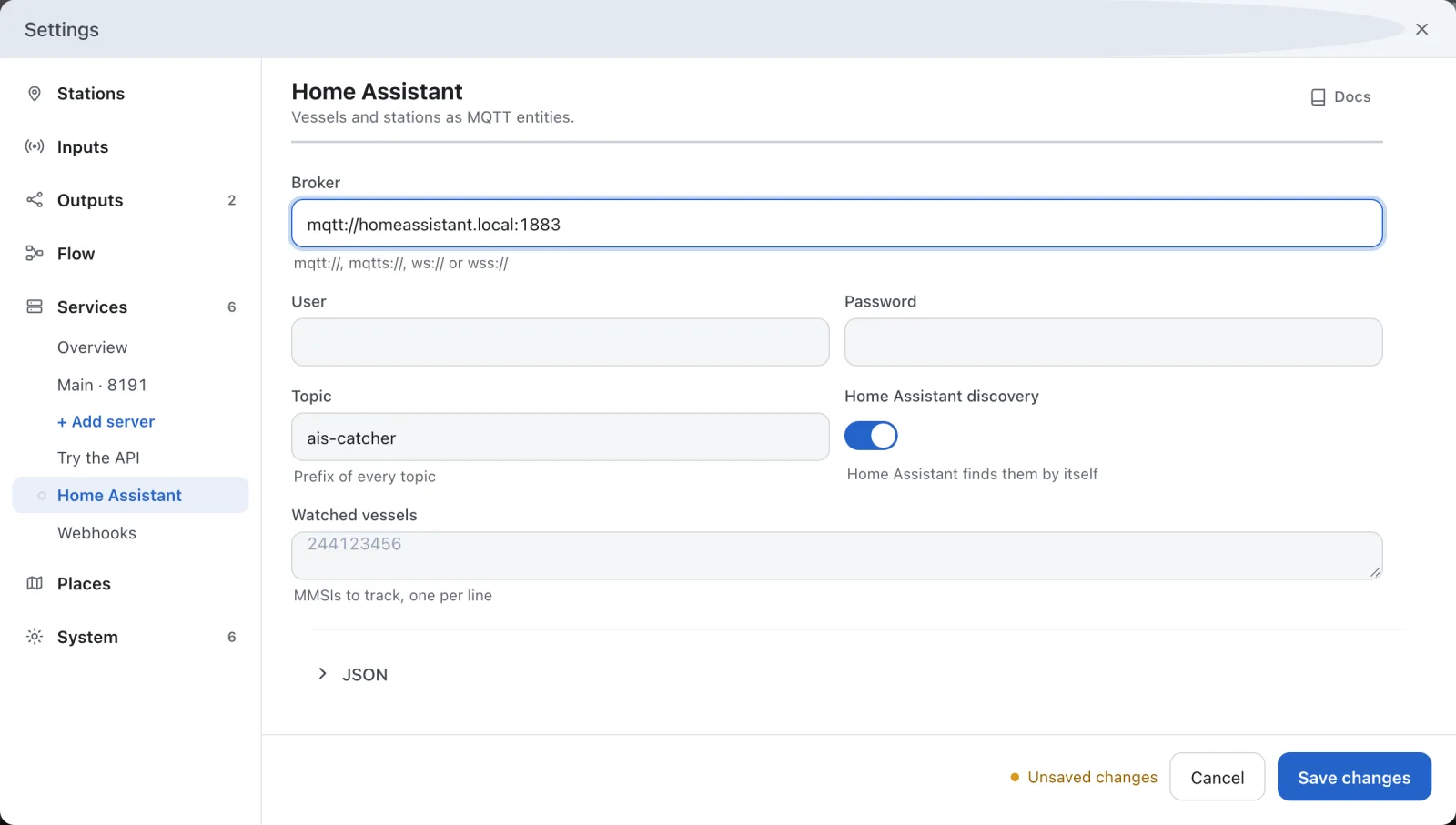
- In the dashboard, open Settings, choose Services and then Home Assistant.
- Enter the Broker, for example
mqtt://homeassistant.local:1883. Fill in User and Password if the broker asks for them. - Leave Home Assistant discovery on. Under Watched vessels, enter the MMSI of each vessel you want to follow, one per line. Each one becomes a device tracker in Home Assistant.
- Press Save changes.
Add an mqtt_state section:
{
  "config": "aiscatcher",
  "version": 1,
  "mqtt_state": {
    "url": "mqtt://homeassistant.local:1883",
    "username": "ais",
    "password": "secret",
    "watch": [244123456, 211234567]
  }
}
| Key | What it does |
|---|---|
url |
The broker. |
username, password |
Leave them out if the broker does not ask for them. |
watch |
The MMSI of each vessel you want to follow. Each one becomes a device tracker in Home Assistant. |
Home Assistant discovery is on unless you add "discovery": false.
Then restart AIS-catcher with the file:
AIS-catcher -C config.json
Add -W with the broker to the command you already use. After it come the user, the password and the vessels to follow, their MMSIs separated by commas:
AIS-catcher -W mqtt://homeassistant.local:1883 USERNAME ais PASSWORD secret WATCH 244123456,211234567
Leave out USERNAME and PASSWORD if the broker does not ask for them. Each watched vessel becomes a device tracker in Home Assistant. Home Assistant discovery is on unless you add DISCOVERY off.
From the command line to a configuration file
Add -J to print your command line as a configuration file instead of running it: AIS-catcher -W mqtt://homeassistant.local:1883 WATCH 244123456 -J.
Check it works
In Home Assistant, open Settings → Devices & services → MQTT. It lists an AIS-catcher device with your station's entities, such as Vessels, Message rate and Range of the last 24 hours, and a device tracker for each watched vessel.
Home Assistant and MQTT state lists every topic and entity. To post events to Home Assistant without MQTT, see Webhooks.